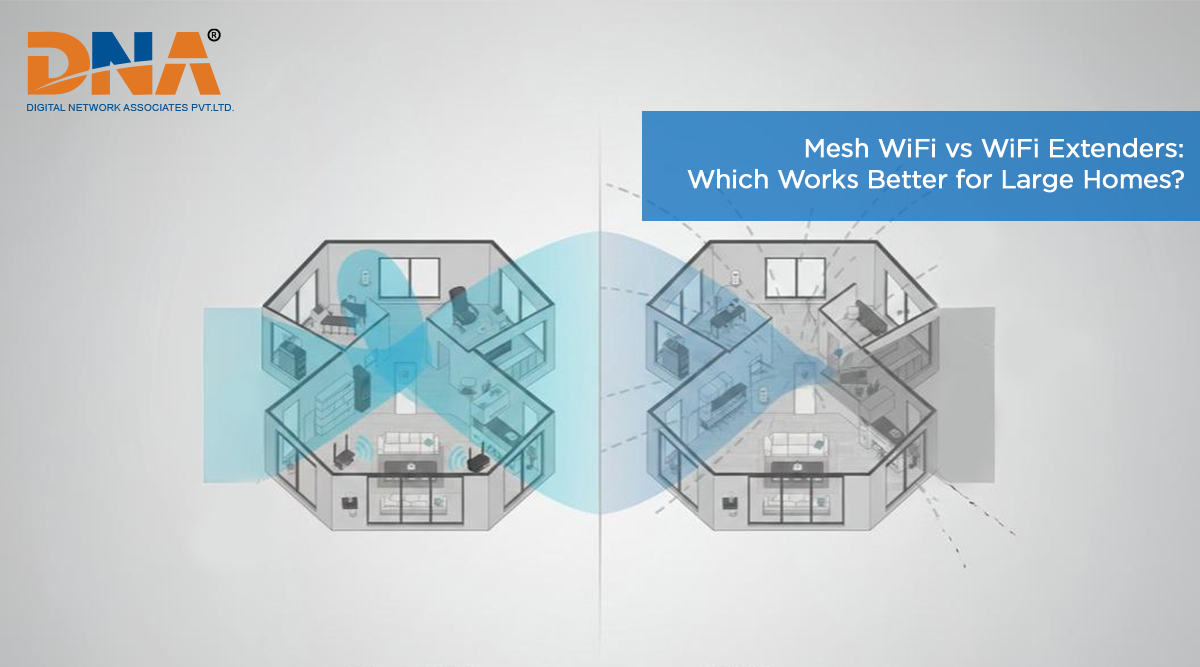
Mesh WiFi vs WiFi Extenders: Which Works Better for Large Homes?
Large homes in Pune often look perfect on paper. Big rooms, open layouts, maybe even more than one floor. But once you start using the internet seriously, the cracks show up fast. WiFi works well near the router, then slowly falls apart as you move away. One room streams fine, another struggles to load a simple page.
This is a common situation, not a rare one. Most people end up restarting the router again and again, hoping that fixes it. It usually does not. At some point, the choice comes down to two options people hear about a lot. Mesh WiFi systems or WiFi extenders. Both promise better coverage, but they behave very differently in real homes.
Understanding the Coverage Challenge
WiFi problems in big houses often begin with expectations. Standard routers accompanying home broadband in Pune are designed for average spaces, not sprawling layouts. On a good day, they cover around 1,500 to 2,000 square feet properly. Beyond that, performance drops.
Once walls come into play, especially concrete ones, the signal weakens faster than most people expect. Add metal grills, staircases, cupboards, and appliances, and things get messy. The signal does not travel in straight lines. It bends, fades, and sometimes just gives up.
This is how dead zones form. Certain corners of the house feel disconnected, even though the router is technically strong. That’s when people start looking for ways to stretch or rebuild their WiFi coverage.
What Are WiFi Extenders?
WiFi extenders are one of the first solutions people try. They are also called repeaters or boosters, depending on the brand. The idea is simple. Take the existing WiFi signal and push it a bit further.
They are popular because they feel easy. Buy one, plug it in, and hope the problem disappears. Sometimes it improves things, sometimes it only shifts the problem to another room.
How WiFi Extenders Work?
An extender is placed somewhere between your router and the weak coverage area. It listens to the router’s signal, then sends it forward again. That extra push helps WiFi reach places it could not before.
Most extenders create a second network name. This means your phone or laptop might stay connected to the weaker signal longer than it should. Smooth switching does not always occur, especially when one is mobile around the house.
Pros of WiFi Extenders
- Cost-effective: Extenders are easy on the wallet. Many basic models cost less than ₹ 2,000, which makes them an attractive first step for many homes.
- Easy installation: Most setups are easy. Plug it in, follow a few in-app or browser steps, and it’s up and running.
- Compatibility: Extenders will work with just about any router. Old or new, branded or basic; compatibility is rarely an issue.
Cons of WiFi Extenders
- Reduced speed: Extenders often slow things down. Since they receive and transmit data on the same channel, your broadband speed can drop sharply.
- Network switching issues: Devices don’t always shift cleanly between the router and the extender. Calls drop. Videos pause. It gets annoying quickly.
- Limited scalability: Adding more extenders does not always help. There will be confusion if there are too many networks.
- Interference problems: If there are multiple extenders which are overlapping each other, these can sometimes create interference for one another too. These can sometimes create general Wi-Fi issues instead of resolving them.
What Are Mesh WiFi Systems?
Mesh WiFi systems take a different approach. Instead of stretching one signal, they rebuild the network across your home. Multiple devices work together, almost like a team, rather than acting alone.
These systems are designed for larger spaces from the start. That’s why they are becoming more common in bigger homes.
How Mesh WiFi Works?
A mesh system starts with a main router connected to your modem. Additional nodes are placed in different areas of the house. These nodes are constantly talking with each other, sharing information and adjusting routes.
Your phone or laptop connects to the nearest node without you doing anything. There is one network name across the house, and the rest is managed quietly by the system.
Pros of Mesh WiFi Systems
- Seamless roaming: All nodes are in the same network. Automatic switching of devices when moving without sharp disconnections.
- Better performance: Many mesh systems use separate channels for node communication. This helps maintain speed even in distant rooms.
- Easy management: One app usually controls everything. You can see connected devices, pause access, or make changes without digging through settings.
- Scalability: Need more coverage later? Add another node. Instead, it adapts without impacting performance.
- Smart traffic management: Data is routed through less crowded paths. This keeps things stable when many users are online.
Cons of Mesh WiFi Systems
- Higher cost: Mesh systems require a higher initial investment. A decent start-up cost could begin from ₹10,000 and above.
- Requires multiple units: One unit alone does not do much. You usually need at least two or three nodes.
- May be overkill: Smaller homes may not need this level of coverage. In those cases, simpler options work fine.
Which Solution Is Right for Your Large Home?
For large homes in Pune, especially those above 2,500 square feet or with multiple floors, mesh WiFi systems usually perform better overall. Once the number of daily users reaches a greater number, the difference becomes apparent.
If you have a fast fiber connection from an internet service provider in Pashan like DNA Broadband, mesh helps ensure that speed reaches every room. With plans offering up to 1Gbps, losing speed to weak coverage feels wasteful.
Mesh systems also reduce daily interruptions. Video calls stay connected. Streaming works without constant buffering. Many common wifi problems, like sudden drops and uneven speeds, are reduced significantly.
Homes with several people online at the same time benefit the most. Work calls, gaming, streaming, and online classes can run together without everything slowing down.
When WiFi Extenders Make Sense?
WiFi extenders still have their place. They work well when the problem is limited to one area. A single bedroom, a study room, or an outdoor space can often be fixed with one extender.
They also make sense as a short-term solution. These are interim solutions used by people while they plan for a larger upgrade later. In such cases, the lower cost is helpful.
Final Recommendation
It tends to be a better choice in the long term for large homes in Pune, especially those needing stable WiFi in every room. Yes, the internet plan is higher, but the improvement in terms of reliability and everyday performance makes a big difference. This matters even more when paired with a fast connection from providers like DNA Broadband.
Home internet now supports work, entertainment, and connected devices all at once. A weak network creates daily frustration. Choosing the right setup helps you get full value from your broadband plan and keeps things running smoothly.
If you do plan an upgrade, first analyze your broadband connection. After this step, decide which WiFi configuration corresponds to how you construct your home and how you use the internet.